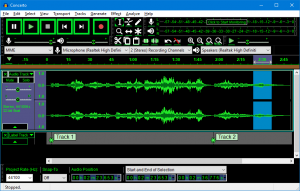
::: The Audacity Team recently released Audacity 1.3.14 (Beta) for Windows, Mac and Linux/Unix. 1.3.14 contains important fixes for data loss problems when reopening saved projects. 1.3.14 is now the only version that supports Windows 7, Windows Vista and Mac OS X 10.4 to 10.7. Please upgrade to 1.3.14 if you are using Audacity 1.2 on those systems. Audacity is a free wave (audio) editor. Features: Full record and edit functionality. - Import and export WAV, AIFF, Ogg Vorbis, and MP3 files. - Unlimited Undo. - Amplitude envelope editor. - Customizable spectrogram mode. - Frequency analysis window. - Built-in effects include Echo, Change Tempo, and Noise Removal. - Supports VST, AU and LADSPA plug-ins. - : ;

Menu

»

Home

Audacity 1.3.14 Beta Now Available


Audacity 1.3.13 Beta Now Available.

Audacity is a free wave (audio) editor.

The Audacity Team recently released Audacity 1.3.14 (Beta) for Windows, Mac and Linux/Unix. 1.3.14 contains important fixes for data loss problems when reopening saved projects.

1.3.14 is now the only version that supports Windows 7, Windows Vista and Mac OS X 10.4 to 10.7. Please upgrade to 1.3.14 if you are using Audacity 1.2 on those systems.


Changes in 1.3.14

Bug fixes for:

  • Interface:

    • Excessive delay occurred when typing into labels in long projects.

    • Last digit of TimeText controls could not be manipulated in some formats.

    • (Windows, OS X) Play and Record shortcuts did not work after clicking in Device Toolbar.

    • (OS X, Linux) Crash occurred if Toolbars were reset during playback or recording.

  • Imports and Exports:

    • MP2 files were not importable without FFmpeg library or an import rule.

    • Files that could only be imported using FFmpeg imported as noise with no error message if FFmpeg was not available.

    • Files containing PCM audio but an incorrect extension (such as MP3) caused a freeze.

  • Effects and Analysis:

    • An empty command could be added to a Chain which then displayed a Nyquist error message when run.

    • Plot Spectrum didn't preserve signal level if multiple tracks were analyzed.

  • Other bug fixes:

    • Audacity has been provisionally fixed so that it can no longer create block files longer than the sample format or project format allows, and can no longer delete these, which led to data loss. Any overlong blocks found are preserved but "orphaned", so will appear as silence.

    • Orphan block files were wrongly reported if cutting or copying to the clipboard then reopening the project in the same session.

    • Fixed some crashes and incorrect movement of audio when dragging tracks.

    • (Windows) Data loss is now prevented when encountering a corrupted.aup file created in ANSI builds.

    • (Linux) Restore building if USE_PORTMIXER is not defined.

Changes and Improvements:

  • Normalize: Faster processing and improved interface. Left-right balance in unsplit stereo tracks is now preserved by default, with a checkbox option provided to process stereo channels independently.

  • Spectrograms now allow window sizes up to 32768 and frequencies up to half the sample rate (the maximum possible).

  • Mix and Render now preserves clip length by not rendering white space between time zero and first audio, and preserves audio before time zero. To retain silence before the audio starts, generate silence after render.

  • Grouped some Edit Menu items into "Remove Audio" and "Clip Boundaries".

  • CleanSpeech Mode removed from Interface Preferences (it still runs if it was enabled in a previous Audacity but can only be turned off there).

  • (OS X) Added support for AudioUnit MusicEffects (but no MIDI support).

  • (Linux) Set the per-user files directory per the program name set in configure.

  • (Linux) Changed the default location of the Audacity temporary directory to be in /var/tmp not /tmp, so preserving the directory between reboots.


Audacity is a free wave (audio) editor.

Features:

  • Full record and edit functionality.

  • Import and export WAV, AIFF, Ogg Vorbis, and MP3 files.

  • Unlimited Undo.

  • Amplitude envelope editor.

  • Customizable spectrogram mode.

  • Frequency analysis window.

  • Built-in effects include Echo, Change Tempo, and Noise Removal.

  • Supports VST, AU and LADSPA plug-ins.


The Event List view shows events in a list format. You can insert, delete, or modify any kind of event, including notes, pitch-wheel data, velocity, MIDI controllers, patch changes, Wave files, lyrics, text strings, MCI commands, System Exclusive meta-events, and more. There are three ways to open the Event List view:  Select one or more tracks and choose View-Event List -- Select one or more tracks and click  in the Views toolbar  -- Right-click a clip in the Clips pane and choose View-Event List from the popup menu  -- The events in the selected tracks are listed one per line, from top to bottom. As you move the highlight through the event list, SONAR updates the Now marker (time display). During playback, the event list scrolls to display the events at the current time. The current event is centered in the Event List during playback, and the highlight is on the correct event when playback stops. Any time you change the Now time, the event list is updated and the highlight is moved to the event that will be played next.  When the Event List view includes more than one track, events are mixed together in chronological order. For example, if you select tracks 1 and 3 when you open the Event List view, you see a single list of intermingled events from tracks 1 and 3. You can have any number of Event List views, each containing any number of tracks, open at the same time. You can change the tracks shown in the Event List view by clicking the  button and choosing the tracks you want.

VST is a trademark of Steinberg Soft- und Hardware GmbH


 Syntheway Virtual Musical Instruments © 2004-2012 Daniel Alberto Laiseca| Buenos Aires - Argentina|

Privacy Policy | Disclaimer | FAQ | Site Map Artists & Links Technical Support ContactAbout Us