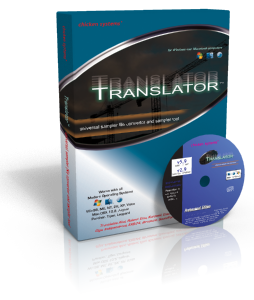
::: Chicken Systems has announced updates of their Translator and Constructor software. Translator 5.9.0.107 (Win) / 2.9.0.137 (Mac) includes direct Camel Audio Alchemy.acp file support, as well as an improved Instrument View screen and additional Kurzweil support. Translator ALT (Translator 6 beta on Windows) now includes a full-features system context menu. Additional Translator improvements include general maintenance in preparation for Translator version 6. Constructor 1.0.0.33 features the new Chizard (Chicken Wizard) Instrument builder, which maps your sounds based on textual hints in the file/folder names or embedded information. Also featured is an extended Proprietary Dialog, a higher level of proprietary disk support on both Mac and Windows, and many other internal improvements. Chicken Systems has updated the sample file format converter Translator Mac to version 5.9.0.104 and Translator Windows to version 2.9.0.134. Translator is a sample file format converter that supports over 40 different hardware and software formats, such as Kontakt, Giga, EXS, Akai, Roland, Yamaha Motif, Motif XF, Alesis Fusion, Korg Triton, and many more. You can view and convert proprietary disk formats, view their entire contents, and convert one or all the sounds. full, free, download, no torrent, warez, crack, keygen, serial, MediaFire, HotFile, FileJungle, RapidShare, FileSonic, Wupload, FileServe, blogspot ;

Menu

»

Home

Chicken Systems: Translator 5.9.0.107 (Mac) / 2.9.0.137 (Win). 


Chicken Systems updates Translator and Constructor
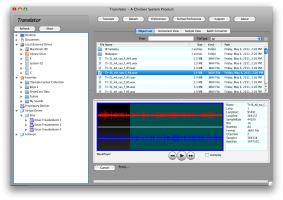
Chicken Systems: Translator 5.9.0.107 (Win) / 2.9.0.137 (Mac)

Chicken Systems has announced updates of their Translator and Constructor software.

Translator 5.9.0.107 (Win) / 2.9.0.137 (Mac) includes direct Camel Audio Alchemy.acp file support, as well as an improved Instrument View screen and additional Kurzweil support. Translator ALT (Translator 6 beta on Windows) now includes a full-features system context menu. Additional Translator improvements include general maintenance in preparation for Translator version 6.

Constructor 1.0.0.33 features the new Chizard (Chicken Wizard) Instrument builder, which maps your sounds based on textual hints in the file/folder names or embedded information. Also featured is an extended Proprietary Dialog, a higher level of proprietary disk support on both Mac and Windows, and many other internal improvements.


Chicken Systems has updated the sample file format converter Translator Mac to version 5.9.0.104 and Translator Windows to version 2.9.0.134. 

Chicken Systems has updated the sample file format converter Translator Mac to version 5.9.0.104 and Translator Windows to version 2.9.0.134.

This new update features Recycle enhancements and many fixes, along with Translator ALT now officially beta. Translator ALT has lots of improvements including writing to drives and Floppy support. Additional Translator improvements include general maintenance in preparation for Translator version 6.

Windows:

  • [ALL] Translator ALT now officially beta; lots of improvements including writing to drives and Floppy support.

Mac and Windows:

  • [ALL] Improved Mac Lion OSX Windows 7 compatibility and look/feel.

  • [ALL] Added Recycle-> Export Styles: Preview/Slice controls how Recycle files get exported;

  • Slice is more precise but susceptible to clicks in the slice points; Preview is smoother but is less precise.

  • [ALL] Added Recycle-> Slice Fade option.

  • [ENSONIQ] Added ->Ensoniq envelope option "Percussive Envelope Mode" sets initial Level to 0 when initial time is 0, making the envelope respond faster.

  • [ALL] Fixed Compressed NI Sample (.ncw) compatibility, especially with Fix References.

  • [ALL] General Maintenance.

Mac only:

  • [ALL] Fixed conversion of multiple Zone Emu Emax Presets.

  • [ALL] Optimized Emu Emax-> conversions.

  • [ALL] Fixed namings of Roland-> from Virtual Drives.

  • [ALL] Made reading of MachFive Presets more robust (against corrupted files).

  • [ALL] Fixed icons of Emu Emax objects.

  • [ALL] Fixed reading of Emu E3/ESi Banks.

  • [ALL] Container Pane now shows results in Object List when selected with up/arrow keys.

  • [ALL] Emu Emax samples now play in the Waveplayer.

  • [ALL] Fixed translation and viewing ability on PPC Mac's.

  • [ALL] Fixed creating Virtual Drives over 4GB.

  • [ALL] Changed Favorite and Virtual Drive category folder icons.

Translator registered customers can update by opening the program and choosing the Check For Updates function.


The Event List view shows events in a list format. You can insert, delete, or modify any kind of event, including notes, pitch-wheel data, velocity, MIDI controllers, patch changes, Wave files, lyrics, text strings, MCI commands, System Exclusive meta-events, and more. There are three ways to open the Event List view:  Select one or more tracks and choose View-Event List -- Select one or more tracks and click  in the Views toolbar  -- Right-click a clip in the Clips pane and choose View-Event List from the popup menu  -- The events in the selected tracks are listed one per line, from top to bottom. As you move the highlight through the event list, SONAR updates the Now marker (time display). During playback, the event list scrolls to display the events at the current time. The current event is centered in the Event List during playback, and the highlight is on the correct event when playback stops. Any time you change the Now time, the event list is updated and the highlight is moved to the event that will be played next.  When the Event List view includes more than one track, events are mixed together in chronological order. For example, if you select tracks 1 and 3 when you open the Event List view, you see a single list of intermingled events from tracks 1 and 3. You can have any number of Event List views, each containing any number of tracks, open at the same time. You can change the tracks shown in the Event List view by clicking the  button and choosing the tracks you want.

VST is a trademark of Steinberg Soft- und Hardware GmbH


 Syntheway Virtual Musical Instruments © 2004-2012 Daniel Alberto Laiseca| Buenos Aires - Argentina|

Privacy Policy | Disclaimer | FAQ | Site Map Artists & Links Technical Support ContactAbout Us