PGMusic
Band-in-a-Box (BIAB)
Syntheway
VST Synthesizer (VST plug-in) Support
VST
support added. Now you can use VST software synths and
plug-ins, just as you use DirectX. Many software
synths are available in VST format, so this expands
the number of available synths and plug-ins for
Band-in-a-Box.
To
select a VST plug-in for the first time, select the
"Add VST plug-in..." item at the bottom of
the plug-in Menu.
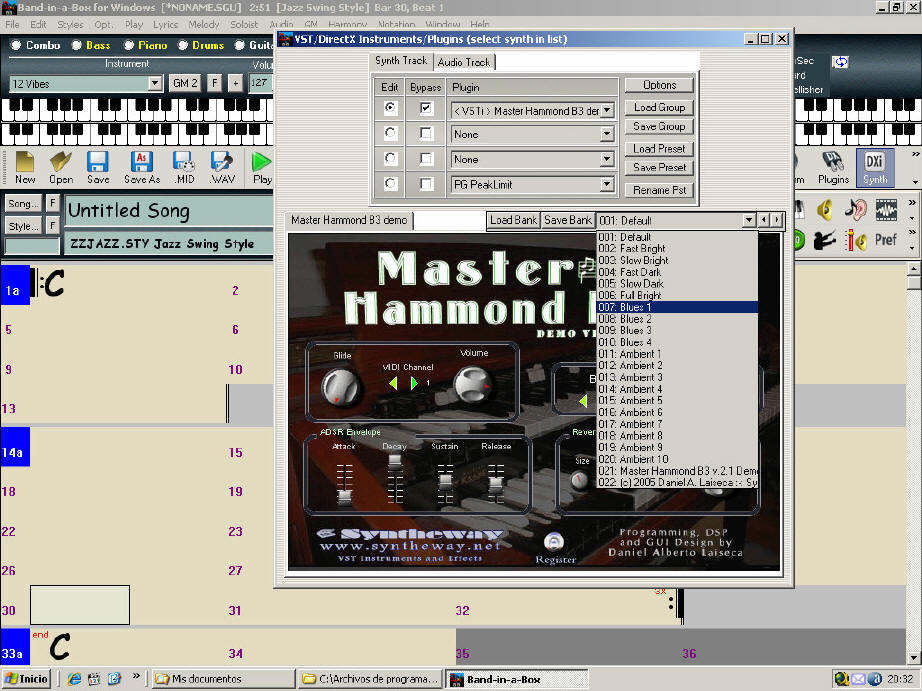
Select a VST plug-in
(in example: Master
Hammond B3 demo.dll file) in "Select a
VST plug-in" dialog box, and it is added to the plug-in
list. After you add each VST, the plug-in is
permanently added to the list. You only have to add
each plug-in one time.
To
add VSTi synthesizer plug-ins, please make sure the
Master
Hammond B3 demo Synth Track tab is selected, and
use the plug-in menu on the top synthesizer slot.
VST
plug-ins always appear at the bottom of the plug-in
list below the DirectX plug-ins. VST plug-ins have the
text "<VST>" pretended to the plug-in
name, and VSTi synthesizer plug-ins have the text
"<VSTi>" Master Hammond B3 demo
name.
Instrument Setup (Click
Image to Enlarge)
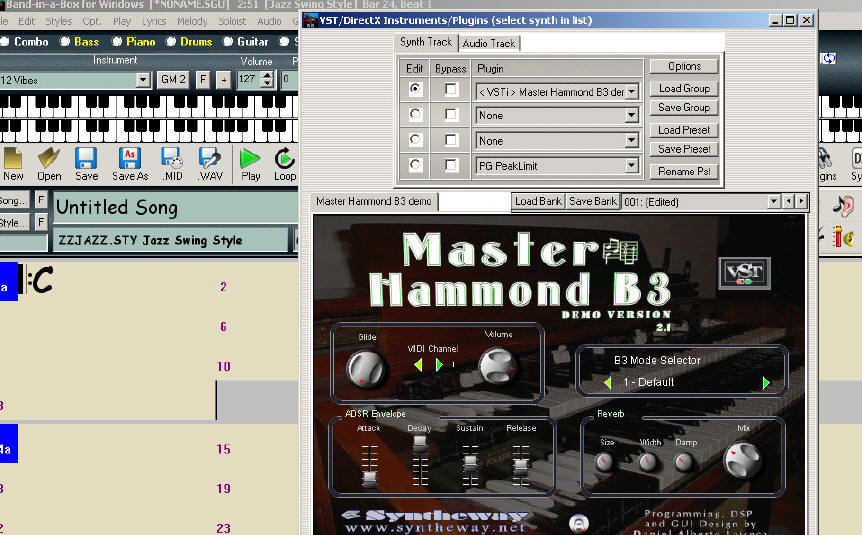
VST Instrument
" Presets box " (Click Image to
Enlarge)