|
|
| 
|
PreSonus Studio One Professional 6
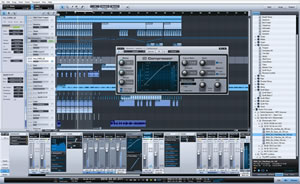
Studio One 6
makes creating fast and easy with new Smart Templates,
intuitive drag-and-drop workflow, a customizable user
interface and powerful, integrated tools.
Studio One 6 offers major new features and enhancements to
boost creativity for seasoned professionals; moreover, the
redesigned and customizable user interface helps creators
focus on the task at hand. Studio One 6 is available in both
perpetual (priced at $399.95 USD for Professional) or as
part of the PreSonus Sphere subscription, which gives
members every upgrade for free. Going forward, PreSonus
Sphere members ($14.95/month or $164.95 annual) will always
have access to the current version of Studio One
Professional as well as one version back, giving them the
freedom to upgrade whenever it works best with their
projects.
Studio One 6's top new features include:
Smart Templates: New Smart Templates combine preconfigured
tracks and channels with a customized user interface and
automatic download of required content to get started
recording and producing right away. Smart Templates provide
essential tool sets for the tasks at hand, including basic
recording, beat making, mixing stems, mastering an album,
setting up for a live show and more. Smart Templates include
a convenient drop zone to easily import needed content like
audio, video and MIDI files as well as interactive tutorials
with instructions and links to related video content.
Customization Editor: The new Customization Editor provides
a convenient and easy way to show or hide nearly all tools
and functions, customizing the user interface to create a
streamlined, focused workflow for the task at hand.
First-time users, seasoned professionals and everyone in
between can create a Studio One interface customized for
their needs. Best of all, customizations can be saved to
recall at will — a few for essential workflows are provided
as jumping-off points.
Lyrics Support: Studio One 6 now provides powerful lyric
support. Lyrics can be added to scores, MIDI productions,
audio sessions – even live performances. Use the all-new
Lyrics Display as an editor, a teleprompter or a quick,
innovative way to navigate a lyric-laden production. When
working with Score or Piano view, lyrics can be attached to
notes word by word or by syllable. Lyrics can also be
transferred to the Show Page to use during rehearsals or
performances.
Global Video Track: Content creators and sound-to-picture
professionals alike will appreciate the all-new Global Video
Track and its intuitive workflow. Add video clips by simply
dragging video files onto the timeline. The Video Track can
hold an unlimited number of video clips, making it easy to
work on multiple reels of a feature film in a single
session. Video thumbnails are generated automatically to
provide a preview for easy navigation. A dedicated sub-track
is provided for embedded audio to use as reference, complete
with mixer channel, full plug-in processing and output
routing options.
Advanced PreSonus Sphere Collaboration: Studio One 6 deepens the integration
with the PreSonus Sphere fully loaded with powerful, cloud-based collaboration
Workspaces, using convenient sharing options and built-in sync options right
from the main menu. An all-new comprehensive installation window lets members
quickly explore, download and install exclusive PreSonus Sphere content, with a
variety of display, search and filter options.
New Plugins: It wouldn't be a Studio One upgrade without new and improved Native
plugins and version 6 is no exception. The Studio One new De-Esser is an
efficient and intuitive tool for taming vocal sibilance and other high-frequency
sounds. The new Vocoder is a creative playground that lets users turn a voice or
any audio source into a unique synth or effect. Finally, the ever-popular ProEQ,
Autofilter, Mai Tai, Sample One XT and Presence XT have all been significantly
enhanced and improved.
Studio One 6 introduces a long list of additional new features and enhancements,
including improvements to the Console, the Browser, the Start Page and much
more. In addition, the Studio One 6 Console is also packed with new features
developed at the request of the loyal Studio One community. Fader Flip lets
users control FX/Bus sends, sidechains and Cue Mix sends all from the main
faders. Stereo channels now feature a choice between balance, dual or binaural
panning as well as a new panner pop-up editor. The new Channel Overview provides
a single, consolidated view of all channel parameters, including input controls,
inserts, sends and Cue Mix sends for the selected channel that can be pinned to
keep a critical eye on individual channels. Finally, Studio One 6 takes workflow
efficiency to a new level with Track Presets, storing every aspect of a given
track or channel for instant recall, even for multiple selected tracks/channels.
| | |