|
|
| 
|
|
Cubase
Loading
Synthphonica Strings VST and Selecting Presets
Note: It is a
deprecated version of Syntheway Strings and Cubase. Please
go here to see more about newest
version of Synthphonica Strings VST VST3 and Audio Unit Plugin
-
Cubase Menu "Project" => "Add Track"
=> "Instrument" => "Synthphonica Strings VST"
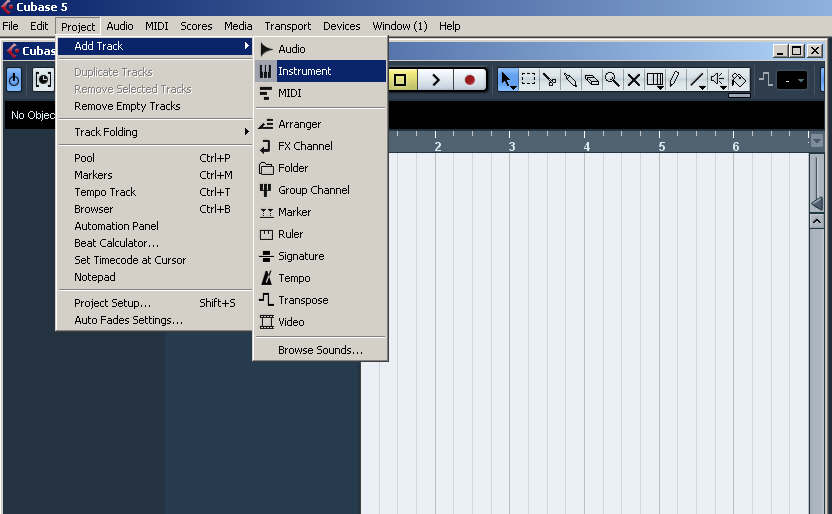
(Click to enlarge image)
-
Cubase:
Selecting
VST
Instruments
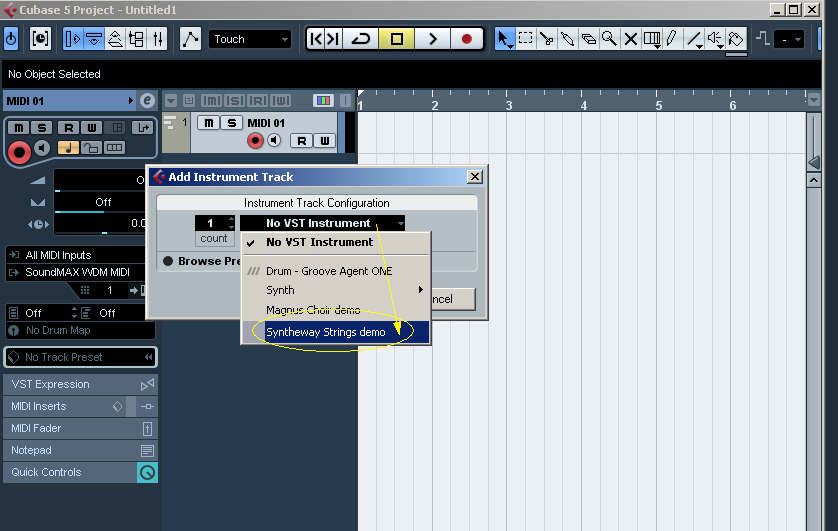
(Click to enlarge image)
-
Cubase: Open Device Panels => Synthphonica Strings VSTi
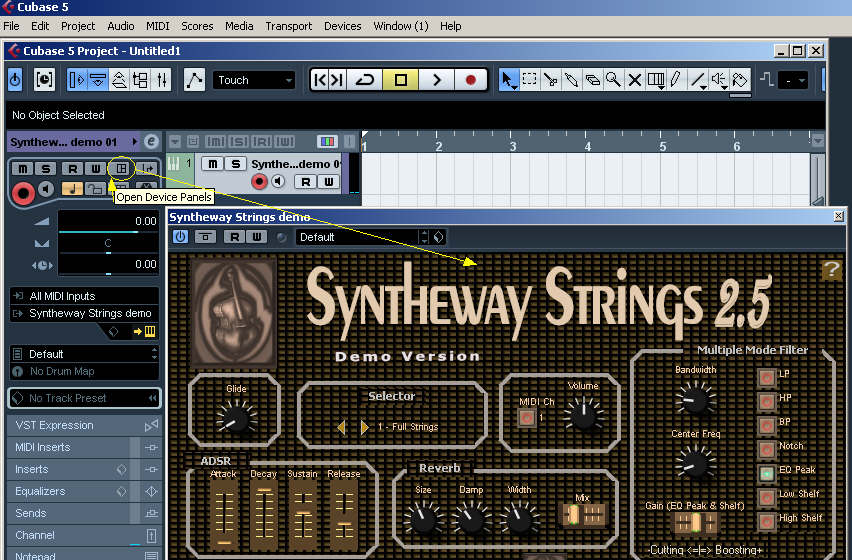
(Click to enlarge image)
-
Cubase: Selecting Presets in Synthphonica Strings VSTi
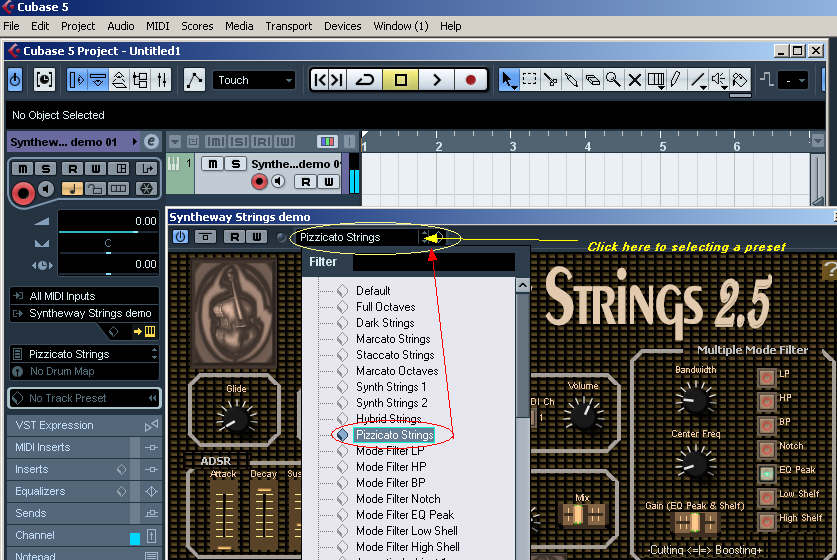
(Click to enlarge image)
Steps
-
Put
the Synthphonica Strings demo into Cubase VST Plug-ins folder.
-
Start
Cubase.
-
Go
to Project => Add Track => Instrument.
-
Go
Instrument Track configuration, then click on VST instruments
-
Select
Synthphonica Strings demo.
-
Go
to MIDI output and select Synthphonica Strings demo.
-
Remember
connect your Keyboard via MIDI or USB port and verify it in MIDI
INPUTS.
|
| |
|