::: MIDI Musical Instrument Digital Interface. ::::::: MIDI Hardware (Interfaces, Keyboards and Controllers) :::::

Menu

»

Home

MIDI

Musical Instrument Digital Interface


Simply stated, the Musical Instrument Digital Interface, or MIDI, is a digital communications language and compatible hardware specification that enables multiple electronic instruments, performance controllers, computers, and other related devices to communicate with one another within a connected network.


What Is MIDI?

Simply stated, the Musical Instrument Digital Interface, or MIDI, is a digital communications language and compatible hardware specification that enables multiple electronic instruments, performance controllers, computers, and other related devices to communicate with one another within a connected network.

MIDI is used to translate performance- or control-related actions (such as playing a keyboard, selecting a patch number, or varying a modulation wheel) into equivalent digital messages. It then transmits these messages to other MIDI devices where they can be used to control their sound generation or control parameters in a performance setting. Alternatively, MIDI data can be recorded into a digital device (known as a sequencer) that can be used to record, edit, and playback MIDI performance data.


System Interconnection

MIDI enables 16 channels of performance, controller, and timing data to be transmitted—in one direction—over a single data line. Consequently, it’s possible for a number of devices to be connected within a network through a single data chain for communicating MIDI messages.

A MIDI cable consists of a shielded, twisted pair of conductor wires that has a male 5-pin DIN plug located at each end. The MIDI specification presently uses only three of the possible five pins, with pins 4 and 5 being used as conductors for MIDI data, and pin 2 being used as a ground connection. Pins 1 and 3 currently are not in use but are reserved for possible changes in future MIDI applications. 


Computer-Based Sequencers

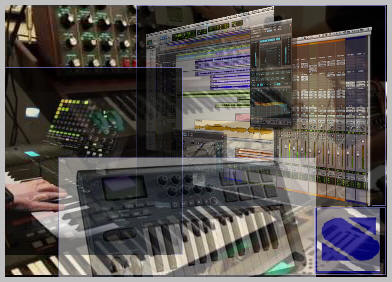
Sequencers also are available as software packages that use the personal computer for performing central processing, memory, and I/O (input/output) functions. These systems are often powerful and extremely versatile in their speed, digital signal processing capabilities, memory management, and their capability to perform a diverse range of tasks under software control.

As you might expect, sequencing software is available for most Apple and IBM compatible machines. The majority of these computers require an external MIDI interface that is used for receiving and distrubuting MIDI data. 

Computer based sequencers have several advantages over their hardware-based counterparts. One of the strongest advantages is easy visibility and access to both basic and advanced editing functions, resulting from the PC’s extensive DSP and graphics capabilities. Using standard cut-and-paste methods it becomes a simple matter to move a musical segment from one track to another, cut a musical passage from a song and save it to clipboard memory for later use, or copy a passage to a track. In addition, the large screen and established graphics interface style make it much easier to perform a complex function. Graphics pattern editing also lets the user quickly and easily change the pitch, start, and duration of times of a note as it appears on the screen (in a style known as piano roll editing), often through the simple movement of a mouse. 

Because computer-based sequencers make use of the PC’s memory management capabilities, sequenced files can be easily stored onto either hard or floppy disks, while note capacity is usually restricted only by the PC’s amount of internal RAM. 


Sequencers

One of the most important devices in MIDI production is the MIDI sequencer. A sequencer is a digitally based device or a computer program that is used to record, edit, and output performance-related MIDI data in a sequential fashion. The recorded MIDI-related channel and system messages commonly represent real-time or non-real-time performance events such as note on/off, velocity, modulation, aftertouch, and continuous controller messages. After a performance has been “recorded” into a sequencer’s or a computer’s internal memory, the data can be edited and saved to hard or floppy disk. When the sequence is played back, the device outputs these MIDI messages to the various connected MIDI devices within the system to re-create the performance. Unlike a recorded performance in which the instrument’s sounds are produced under the direct control of a live player, a sequencer communicates real-time performance data to various electronic instruments, which in turn produce the performed sound.

Most sequencers have a design similarity to their distant cousin, the multitrack tape recorder, in that MIDI data can be recorded onto separate “tracks” that contain isolated, yet related, performance material that is synchronous in time. Each of these tracks can be assigned to any MIDI channel and may contain any number of performance-and control-related messages (within the memory constraints of the device). When played back, the instruments and devices in the system that are assigned to a specific MIDI channel (0-16) respond only to track (or tracks) transmitting on that particular channel.

The number of individual tracks offered varies widely from one manufacturer and model type to the next and ranges from 8 to over 500 tracks. Almost every system is capable of transmitting and receiving data over all 16 MIDI channels, although most professional sequencers can communicate data over two or more independent MIDI data lines, which enables them to address 32 or more separate MIDI channels.

Another important feature offered by most sequencers is the capability to edit MIDI data in the digital domain. Standard cut-and-paste editing techniques generally are offered, which enable segments of sequenced data to be cut, copied, or reinserted at any point in a track or to any other track. Complex algorithms for performing such tasks as velocity changes, modulation and pitch bend, transposition, and humanizing (the controlled randomization of performance data to approximate human timing errors that are generally present in a live performance), as well as control over program or continuous controller messages, can also be inserted and changed.


The MIDI Interface

Although both the MIDI protocol and the personal computer communicate through digital data, a digital hardware device known as a MIDI interface must be used to translate MIDI’s serial message data into a structure that can be understood by and communicated to the computer’s internal operating system. MIDI interfaces such as the Midisport series, as well as a full line of USB Midi keyboards and control surfaces, are available today.

Benefits of MIDI
MIDI is a technology that represents music in digital form. Unlike other digital music technologies such as MP3 and CDs, MIDI messages contain individual instructions for playing each individual note of each individual instrument. So with MIDI it is actually possible to change just one note in a song, or to orchestrate and entire song with entirely different instruments. And since each instrument in a MIDI performance is separate from the rest, its easy to "solo" (listen to just one) individual instruments and study them for educational purposes, or to mute individual instruments in a song so that you can play that part yourself. 

 

MIDI Continuous Controllers - MIDI CC -

A MIDI continuous controller command consists of the MIDI controller command followed by two data bytes that specify the controller number and the controller's value:

 0xb0 | channel = MIDI continuous controller command
 0 .. 127 = MIDI continuous controller number
 0 .. 127 = MIDI continuous controller value

Allows continuously changing information such as pitch wheel or breath controller information to be passed over the MIDI line. Continuous controllers use large amounts of memory when recorded into a MIDI sequencer. Some standard MIDI Continuous Controller numbers are listed below although the EIII allows you to assign controllers and destinations to any Continuous Controller channel.

A Controller message has a Status byte of 0xB0 to 0xBF depending upon the MIDI channel. There are two more data bytes.

The first data byte is the Controller Number. There are 128 possible controller numbers (ie, 0 to 127). Some numbers are defined for specific purposes. Others are undefined, and reserved for future use. 

The second byte is the "value" that the controller is to be set to. 

Most controllers implement an effect even while the MIDI device is generating sound, and the effect will be immediately noticeable. In other words, MIDI controller messages are meant to implement various effects by a musician while he's operating the device. 

If the device is a MultiTimbral module, then each one of its Parts may respond differently (or not at all) to a particular controller number. Each Part usually has its own setting for every controller number, and the Part responds only to controller messages on the same channel as that to which the Part is assigned. So, controller messages for one Part do not affect the sound of another Part even while that other Part is playing. 

Some controllers are continuous controllers, which simply means that their value can be set to any value within the range from 0 to 16,384 (for 14-bit coarse/fine resolution) or 0 to 127 (for 7-bit, coarse resolution). Other controllers are switches whose state may be either on or off. Such controllers will usually generate only one of two values; 0 for off, and 127 for on. But, a device should be able to respond to any received switch value from 0 to 127. If the device implements only an "on" and "off" state, then it should regard values of 0 to 63 as off, and any value of 64 to 127 as on. 

Many (continuous) controller numbers are coarse adjustments, and have a respective fine adjustment controller number. For example, controller #1 is the coarse adjustment for Modulation Wheel. Using this controller number in a message, a device's Modulation Wheel can be adjusted in large (coarse) increments (ie, 128 steps). If finer adjustment (from a coarse setting) needs to be made, then controller #33 is the fine adjust for Modulation Wheel. For controllers that have coarse/fine pairs of numbers, there is thus a 14-bit resolution to the range. In other words, the Modulation Wheel can be set from 0x0000 to 0x3FFF (ie, one of 16,384 values). For this 14-bit value, bits 7 to 13 are the coarse adjust, and bits 0 to 6 are the fine adjust. For example, to set the Modulation Wheel to 0x2005, first you have to break it up into 2 bytes (as is done with Pitch Wheel messages). Take bits 0 to 6 and put them in a byte that is the fine adjust. Take bits 7 to 13 and put them right-justified in a byte that is the coarse adjust. Assuming a MIDI channel of 0, here's the coarse and fine Mod Wheel controller messages that a device would receive (coarse adjust first): 

0xB0 0x01 0x40
Controller on chan 0, Mod Wheel coarse, bits 7 to 13 of 14-bit
value right-justified (with high bit clear).

0xB0 0x33 0x05
Controller on chan 0, Mod Wheel fine, bits 0 to 6 of 14-bit
value (with high bit clear).

Some devices do not implement fine adjust counterparts to coarse controllers. For example, some devices do not implement controller #33 for Mod Wheel fine adjust. Instead the device only recognizes and responds to the Mod Wheel coarse controller number (#1). It is perfectly acceptable for devices to only respond to the coarse adjustment for a controller if the device desires 7-bit (rather than 14-bit) resolution. The device should ignore that controller's respective fine adjust message. By the same token, if it's only desirable to make fine adjustments to the Mod Wheel without changing its current coarse setting (or vice versa), a device can be sent only a controller #33 message without a preceding controller #1 message (or vice versa). Thus, if a device can respond to both coarse and fine adjustments for a particular controller (ie, implements the full 14-bit resolution), it should be able to deal with either the coarse or fine controller message being sent without its counterpart following. The same holds true for other continuous (ie, coarse/fine pairs of) controllers. 
Note: In most MIDI literature, the coarse adjust is referred to with the designation "MSB" and the fine adjust is referred to with the designation "LSB". I prefer the terms "coarse" and "fine". 

Here's a list of the defined controllers. To the left is the controller number (ie, how the MIDI Controller message refers to a particular controller), and on the right is its name (ie, how a human might refer to the controller). To get more information about what a particular controller does, click on its controller name to bring up a description. Each description shows the controller name and number, what the range is for the third byte of the message (ie, the "value" data byte), and what the controller does. For controllers that have separate coarse and fine settings, both controller numbers are shown. 

MIDI devices should use these controller numbers for their defined purposes, as much as possible. For example, if the device is able to respond to Volume controller (coarse adjustment), then it should expect that to be controller number 7. It should not use Portamento Time controller messages to adjust volume. That wouldn't make any sense. Other controllers, such as Foot Pedal, are more general purpose. That pedal could be controlling the tempo on a drum box, for example. But generally, the Foot Pedal shouldn't be used for purposes that other controllers already are dedicated to, such as adjusting Pan position. If there is not a defined controller number for a particular, needed purpose, a device can use the General Purpose Sliders and Buttons, or NRPN for device specific purposes. The device should use controller numbers 0 to 31 for coarse adjustments, and controller numbers 32 to 63 for the respective fine adjustments. 


MIDI Products

As you can see from the above examples, there are lots of things that MIDI makes possible, and many kinds of MIDI products available to help you make music. When you are ready to start making music with MIDI, we recommend you visit a MIDI specialist to determine the right products for you. Here are just some of the products that you may want to consider: 

Keyboards and Sound Modules Practically every musical keyboard sold today has MIDI connections... everything from the $100 portables to $300,000 digital grand pianos.

Wind Controllers, Guitars, and More You don't have to be a keyboard (piano) player to benefit from MIDI. There are specially made MIDI wind controllers, MIDI guitars, and more.

Personal Computers Practically every computer made today comes with the ability to play MIDI files, and can connect to other MIDI gear with a simple PC-to-MIDI connector available as an accessory. Professionals and amateurs alike can compose, arrange, and record original music, or use the computer to learn about music or how to play an instrument.


Audio Hardware
 AKG  Alesis  ALLEN & HEATH  Behringer
 BlueMic  Digidesign  E-MU  Echo
 EDIROL  Focusrite  Fostex  Genelec
 Hartmann  JBL  Jomox  Korg
 KRK Systems  M-AUDIO  Mackie  RME
 Roland  Samson  Sennheiser  TASCAM
 TC Electronic  TerraTec  Universal Audio  Yamaha
 Zoom

Where to find out more...

The following companies offer products and information that will be useful to anyone with an interest in Making Music with MIDI:

Yamaha Corp US | Korg USA | Cakewalk | Edirol | Evolution

BitHeadz | MadWaves | PreSonus | Steinberg | E-Mu Systems

Berklee Media | Keyboard Magazine | Electronic Musician


VST is a trademark of Steinberg Soft- und Hardware GmbH.

 ”VST is a trademark of Steinberg Soft- und Hardware GmbH”. All other trademarks are the property of their respective owners.


Syntheway Virtual Musical Instruments © 2004-2012 Daniel Alberto Laiseca| Buenos Aires - Argentina|

Privacy Policy | Disclaimer | FAQ | Site Map Artists & Links Technical Support ContactAbout Us